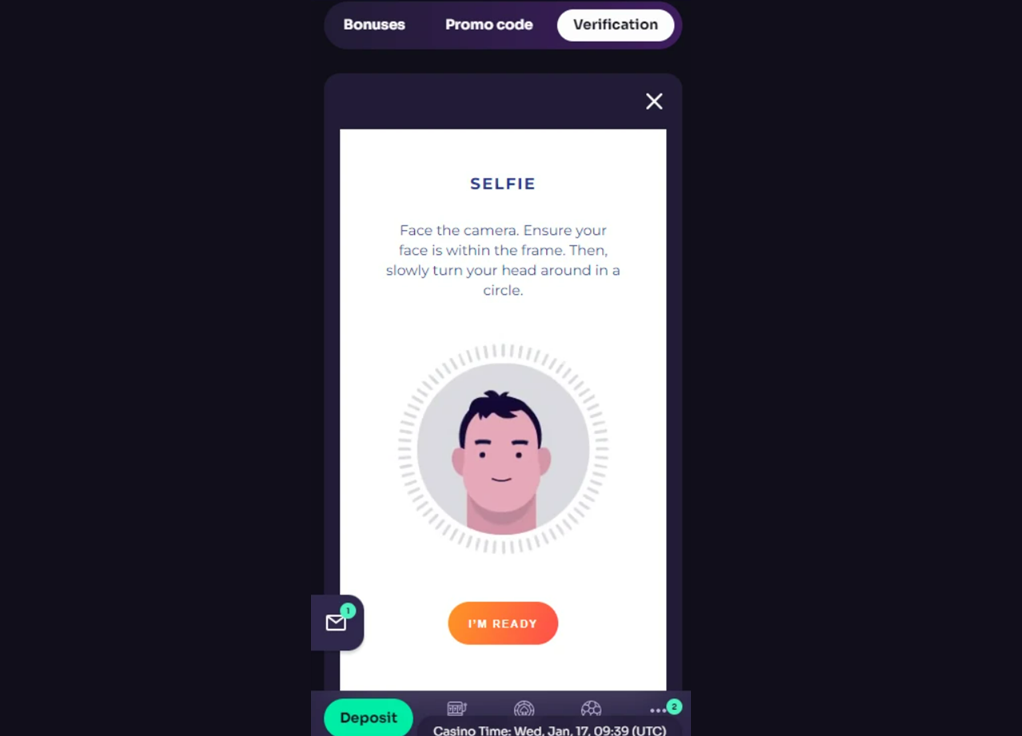
To complete your selfie verification smoothly, just follow these simple steps and tips. It only takes a moment, and it helps us keep your account safe and secure! 😊
✅ Steps for a perfect selfie:
- Use a browser for best results: for a smooth experience, log in using Chrome or Safari on your mobile browser — not the app or PWA — as camera access may not work properly in the app
- Allow camera access: make sure to enable camera permissions on your device before starting
- Follow the on-screen instructions: you'll be guided step by step in the Verification tab — just follow the prompts and keep your face clearly in view
- Good lighting is key: choose a well-lit spot and hold your phone at eye level. Avoid holding it too close, and keep your eyes open and facing the camera
- Only your face should appear: make sure no one else is in the frame — no other people or children
- Be yourself: do not use any photo editors or upload a photo of someone else. The selfie must match the ID documents you’ve uploaded
❗If something goes wrong:
- Try clearing your cache and cookies, switching to another browser, or using a different device
- If you still have trouble, please take a screenshot of the error and reach out to us via live chat
Was this article helpful?
That’s Great!
Thank you for your feedback
Sorry! We couldn't be helpful
Thank you for your feedback
Feedback sent
We appreciate your effort and will try to fix the article