You can easily manage the 2-factor authentication (2FA) in your account by following these steps:
- Navigate to your account’s Security tab 🛡️
- Enter the code generated by your Google Authenticator or Authy app 🤳
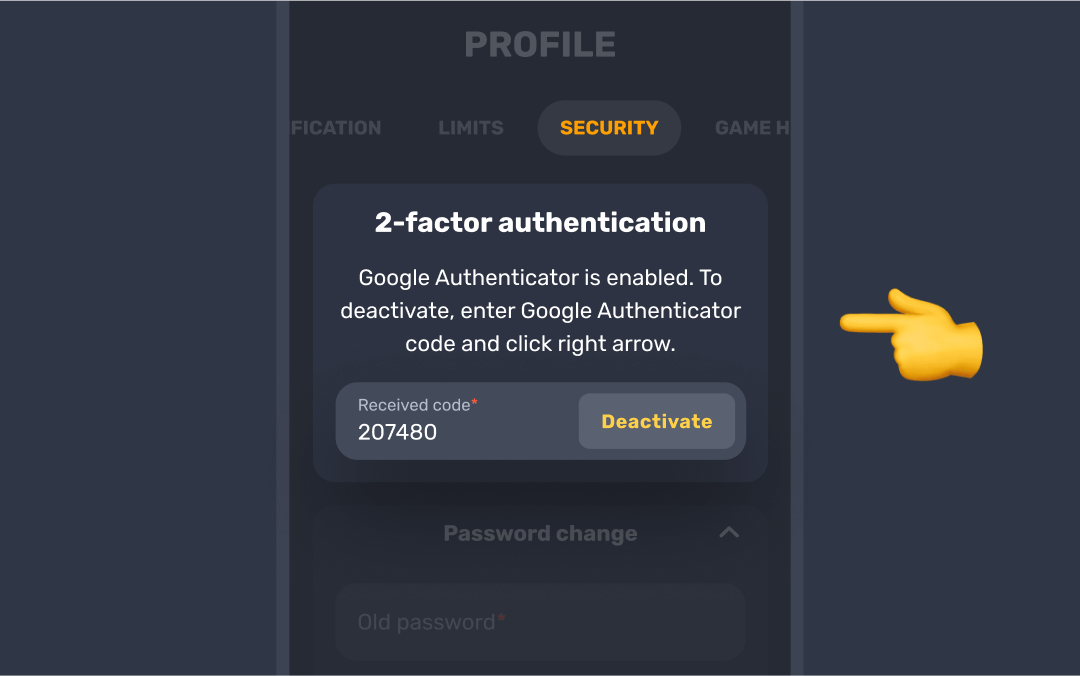
- Click Deactivate to turn off 2FA for your account ✔️
And that’s it!👍 2FA is now turned off, and you can access your account as usual.
Make sure to keep your account secure by enabling 2FA again if you decide to turn it off temporarily 🔐
Was this article helpful?
That’s Great!
Thank you for your feedback
Sorry! We couldn't be helpful
Thank you for your feedback
Feedback sent
We appreciate your effort and will try to fix the article