Keeping your account details up to date is important — and we’ve made it easy 🪄 Some updates you can make yourself, while others require help from our support team. Here’s a clear breakdown:
✅ What you can update yourself
- Nickname: update it directly under the Personal tab — quick and easy, no documents needed
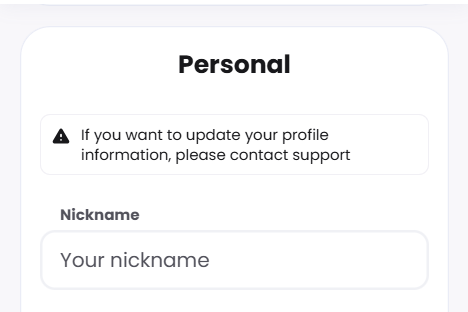
👥 Changes we’ll help you with
Some updates need a quick chat with our support team. Just reach out via live chat, let us know what you’d like to change, and have any needed documents ready — we’ll guide you through it from there.
- Phone number 📱: let us know your new phone number and provide the reason for the change
- Address 🏠: contact us with new verification documents (utility bill, bank statement, or tax invoice, which has your name and address fully specified, dated within last 90 days) and provide the reason for the change
- Name 👤: reach out with new verification documents (passport, driving license or official government-issued ID card) and provide the reason for the change

Once your documents are received, your details are typically updated within 24 hours. You’ll get a confirmation as soon as the change is complete.
Was this article helpful?
That’s Great!
Thank you for your feedback
Sorry! We couldn't be helpful
Thank you for your feedback
Feedback sent
We appreciate your effort and will try to fix the article