Verifying your payment method is simple and can be done directly through your account 👤 Just upload the required document to the Verification tab under the Payment section.
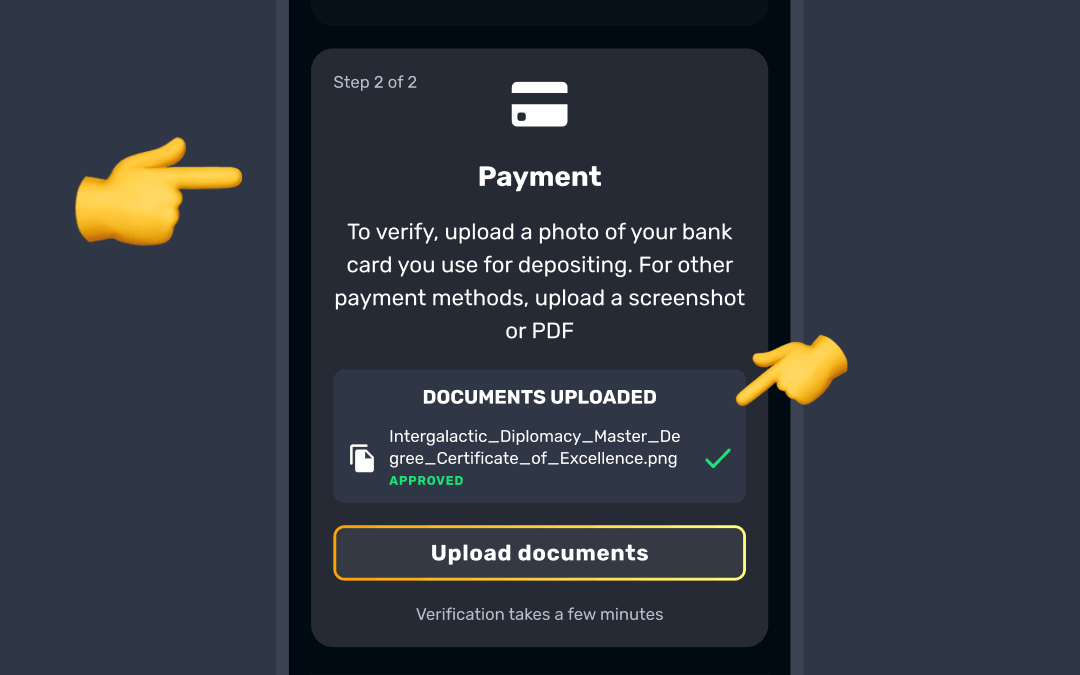
Depending on the payment method, here’s what you’ll need:
- Card: upload a clear photo of your bank card. Ensure that your full name, expiry date, and the first 6 and last 4 digits of the card number are visible 💳 Upload both sides of the card unless all of this is shown on one side. You can cover the CVV code, but all four corners of the card must be visible.
If your card is closed, expired, or lost, don’t worry — you can still verify it with a document from your bank confirming the card was closed. It must show your name, the last 4 digits of the card and the bank’s logo. A screenshot of your chat or email with the bank’s support team also works. - Virtual card: upload a screenshot of the card from your banking app showing your name and the first 6 and last 4 digits. If these aren’t shown, upload a bank statement instead.
- E-Wallet: provide a screenshot of your last deposit, showing your name, the deposit amount, time, and transaction ID 👛 Alternatively, a screenshot from your e-wallet account with your name and email clearly visible will also work.
- Bank account: upload a bank statement dated within the last 90 days, or a screenshot from your online banking. It must show your full name, the full account number you used with us and the bank logo, with all four corners visible. A bank statement must also show your postal address.
- Apple Pay: provide a photo/screenshot of the card used for depositing, along with a bank statement showing your last Apple Pay transaction 🍏 Alternatively, a screenshot of the transaction with the date, amount, and the last 4 digits of the card number will be sufficient.
The Identity and address section is for your own documents only. If you’re asked to verify a card or payment method that belongs to someone else, upload the card photo together with the cardholder’s ID and proof of address in the Payment section.
Payment method verification becomes available only once your identity and address are confirmed. Once submitted, your documents will be reviewed, and you’ll be notified when your payment method has been verified! ✔️

Was this article helpful?
That’s Great!
Thank you for your feedback
Sorry! We couldn't be helpful
Thank you for your feedback
Feedback sent
We appreciate your effort and will try to fix the article