Verifying your card is straightforward and ensures safe transactions. Here’s how to complete this process:
- Go to the Verification tab in your account
- Upload a clear photo of your bank card under the Payment section
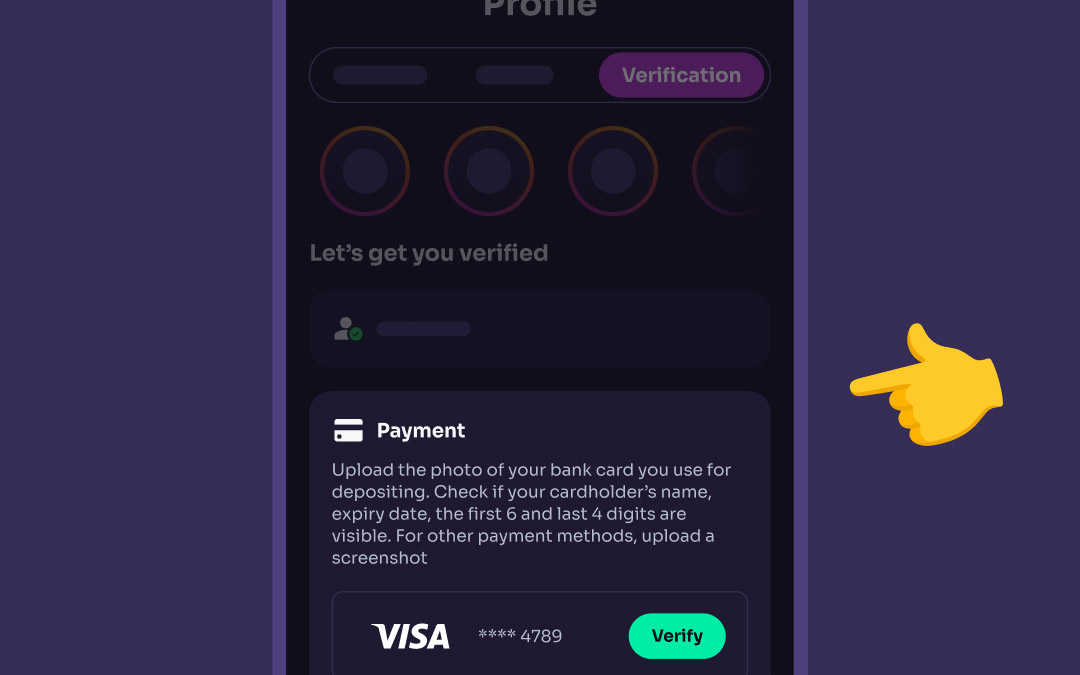
If you're using a virtual card, all we need is a screenshot of the card showing your name and the card number (just the first 6 and last 4 digits is perfect 👌).
If those details aren’t visible on your screenshot, no worries – you can simply send us a bank statement where this info is displayed instead 📄

✅ Tips for success:
- Make sure your full name, expiry date, and the first 6 and last 4 digits of the card number are visible
- If needed, upload photos of both sides of the card
Once submitted, our team will review the provided document 💳 You’ll receive a notification as soon as your payment method is verified, so you can continue gaming with confidence.
Was this article helpful?
That’s Great!
Thank you for your feedback
Sorry! We couldn't be helpful
Thank you for your feedback
Feedback sent
We appreciate your effort and will try to fix the article